Pick Up Where You Left Off: Bring a Past Chat Into a New One
You already told Axyen about the allergies, the launch price, the constraints. Now a new chat can use that conversation: name it in your message, or pick it from your chats, and the answer starts from what you settled.
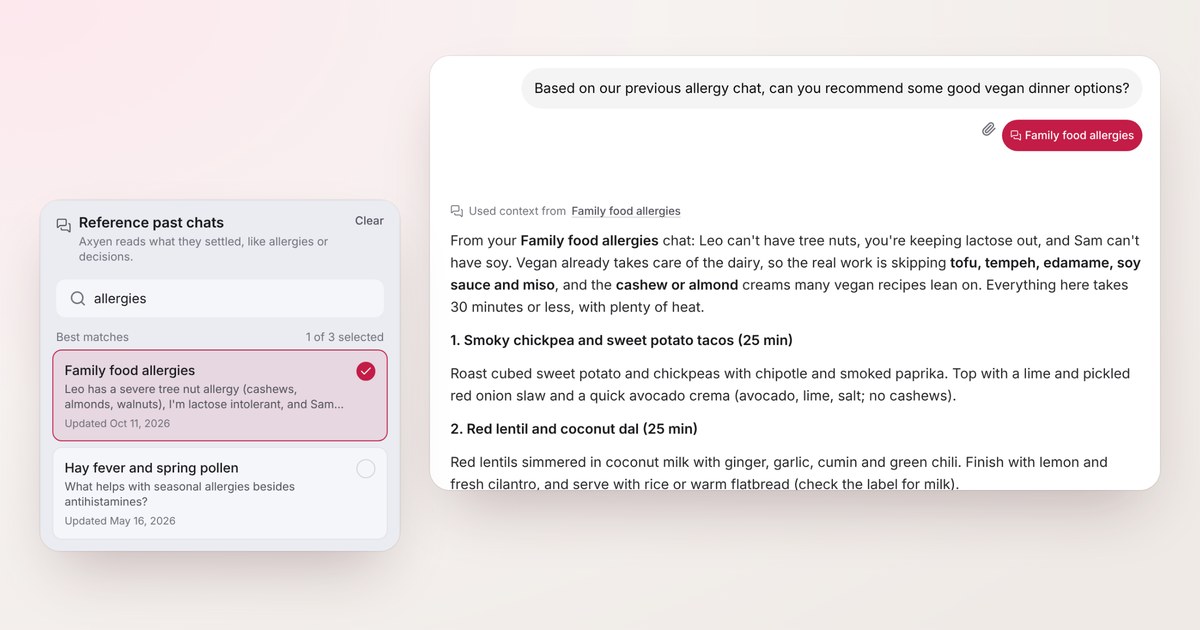
A few weeks ago you spent twenty minutes telling an AI about your family’s food allergies. Your son can’t have tree nuts. You’re lactose intolerant. Your partner can’t have soy. You talked through what that rules out, which swaps work, and that dinners have to be ready in half an hour.
Today you want vegan dinner ideas. And you’re about to type all of it again.
That’s the gap we kept hitting ourselves. Every chat is a fresh start, so anything settled in one conversation has to be re-explained in the next: the constraint, the decision, the number you agreed on. If you forget one detail, the answer quietly ignores it. With allergies, that’s not a small miss.
Axyen can now bring a past chat into a new one. You can say it in plain words, or pick the chat yourself. Either way, the answer starts from what that conversation settled.
Just say which chat you mean
The simplest way is to write the way you’d talk to a colleague:
Based on our previous allergy chat, can you recommend some good vegan dinner options?
Axyen recognises that you’re pointing at an earlier conversation, finds the chat about allergies among your chats, and reads what it settled before answering.
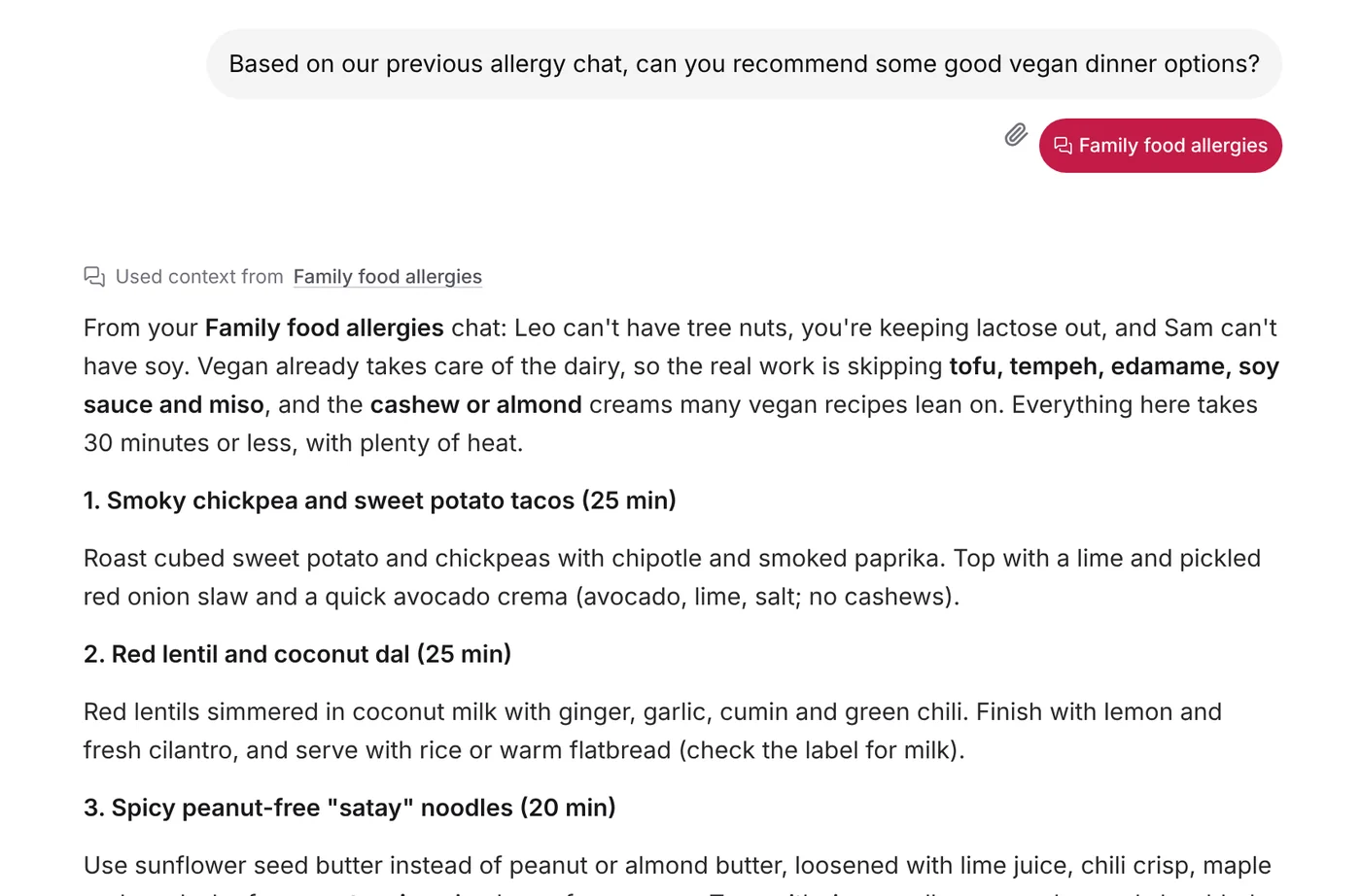
Two things show you it worked. Your message gets a chip with the chat it found, here Family food allergies. And the reply opens with Used context from, followed by the chat’s title, which you can click to open that chat.
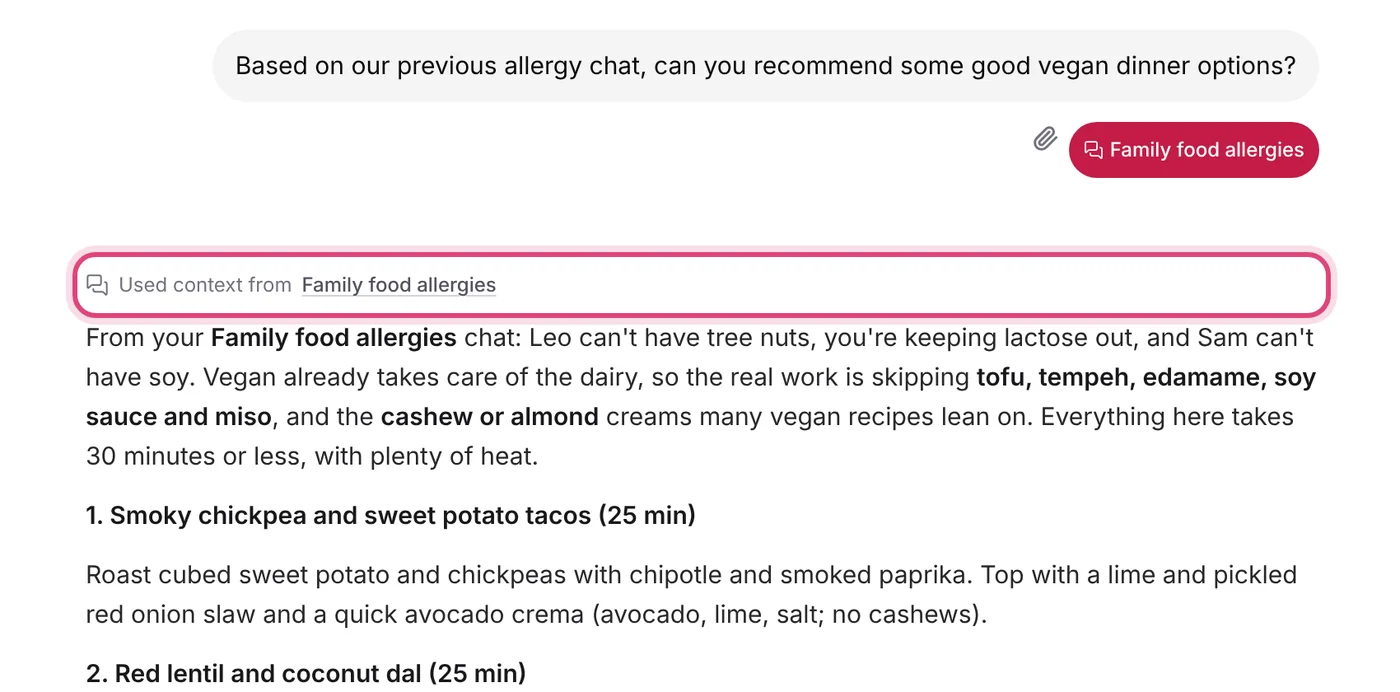
The reply itself does the rest. Vegan takes care of the dairy, so the real work is avoiding soy (tofu, tempeh, soy sauce, miso) and the cashew and almond creams many vegan recipes rely on. The suggestions use sunflower seed butter and coconut aminos instead, stay under 30 minutes, and keep the heat, because that chat also said the family likes spicy food. Nobody had to repeat any of it.
Phrasings like these all work:
- “Based on previous chat about Vera, is it useful for finding reading buddies?”
- “Using the earlier conversation about my kitchen remodel, make a budget.”
- “Last time we talked about the Lisbon offsite, you suggested three hotels. Which one is closest to the river?”
- “Remember when we discussed the kayak trip? What paddle should I buy?”
- “Based on my last chat, what should I do next?” (no topic means your most recent chat)
If Axyen can’t find a chat that matches, it says so and asks you to pick one, rather than guessing what you said.
Or pick the chat yourself
Sometimes you know exactly which conversation you want, or the topic word isn’t in the chat’s title. You can attach it directly, much like attaching a note.
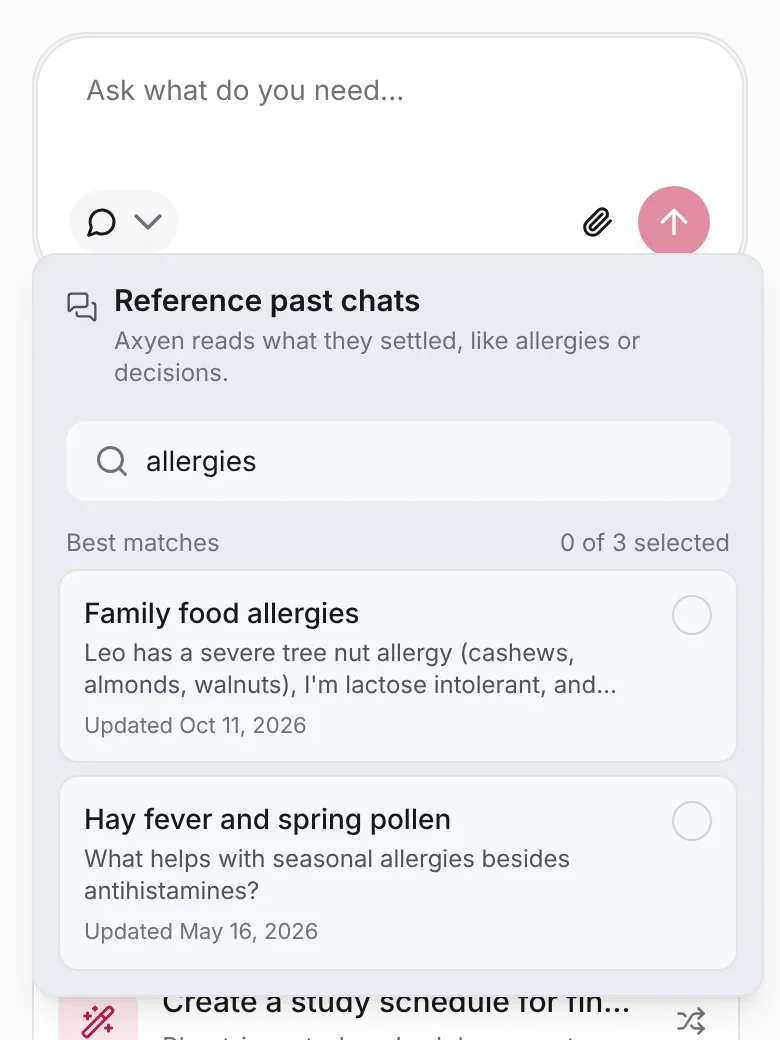
1. Open the attach menu. Click the paperclip in the message box, then Reference a past chat.
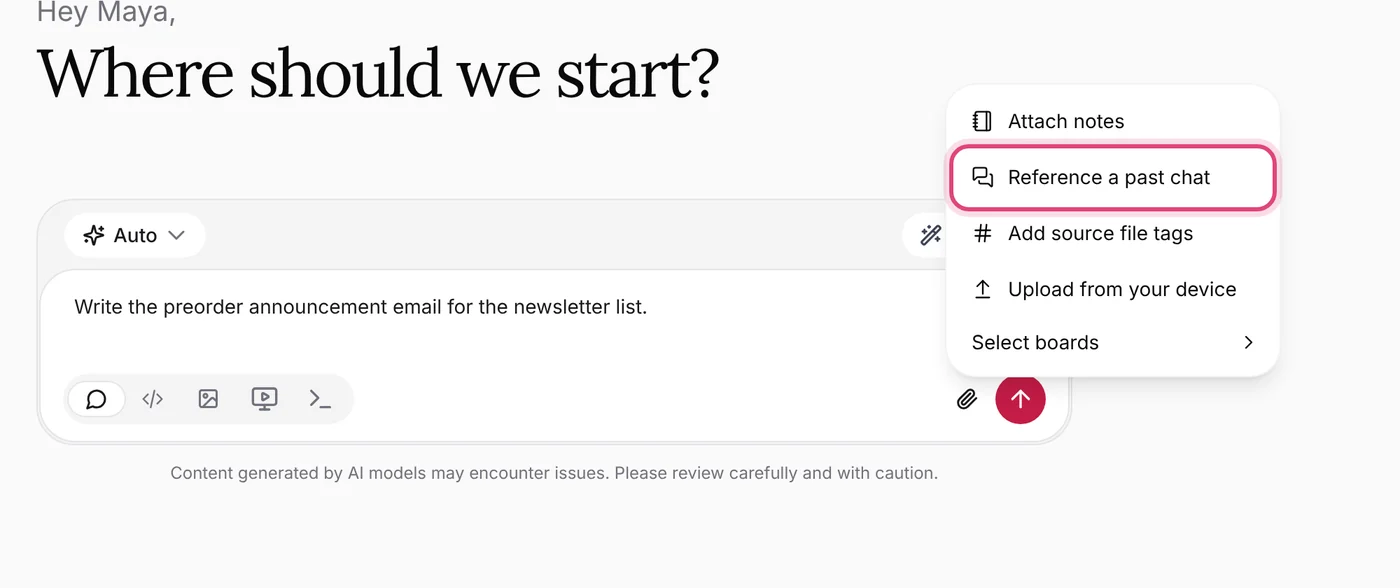
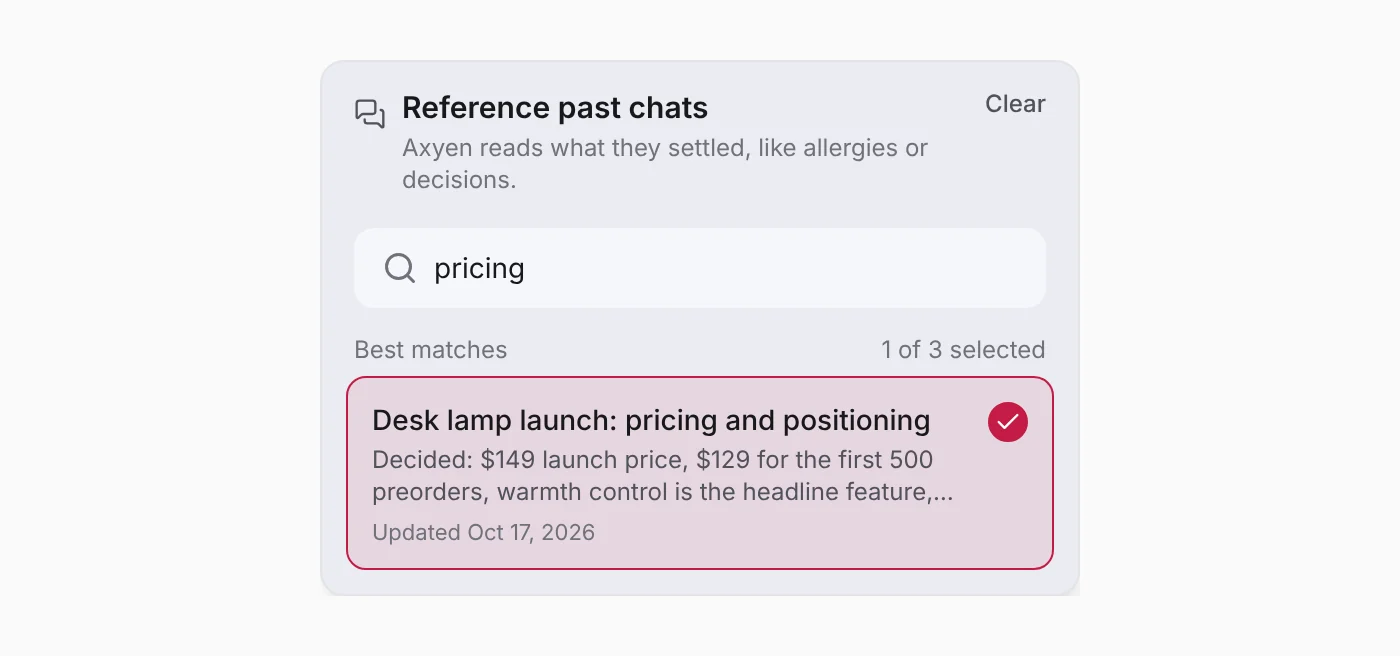
2. Find the chat. Your recent chats are listed first. Type to search: it matches chat titles and what was said in them, so “pricing” finds a chat even if pricing only came up halfway through. Each result shows a line from the conversation so you can tell similar chats apart.
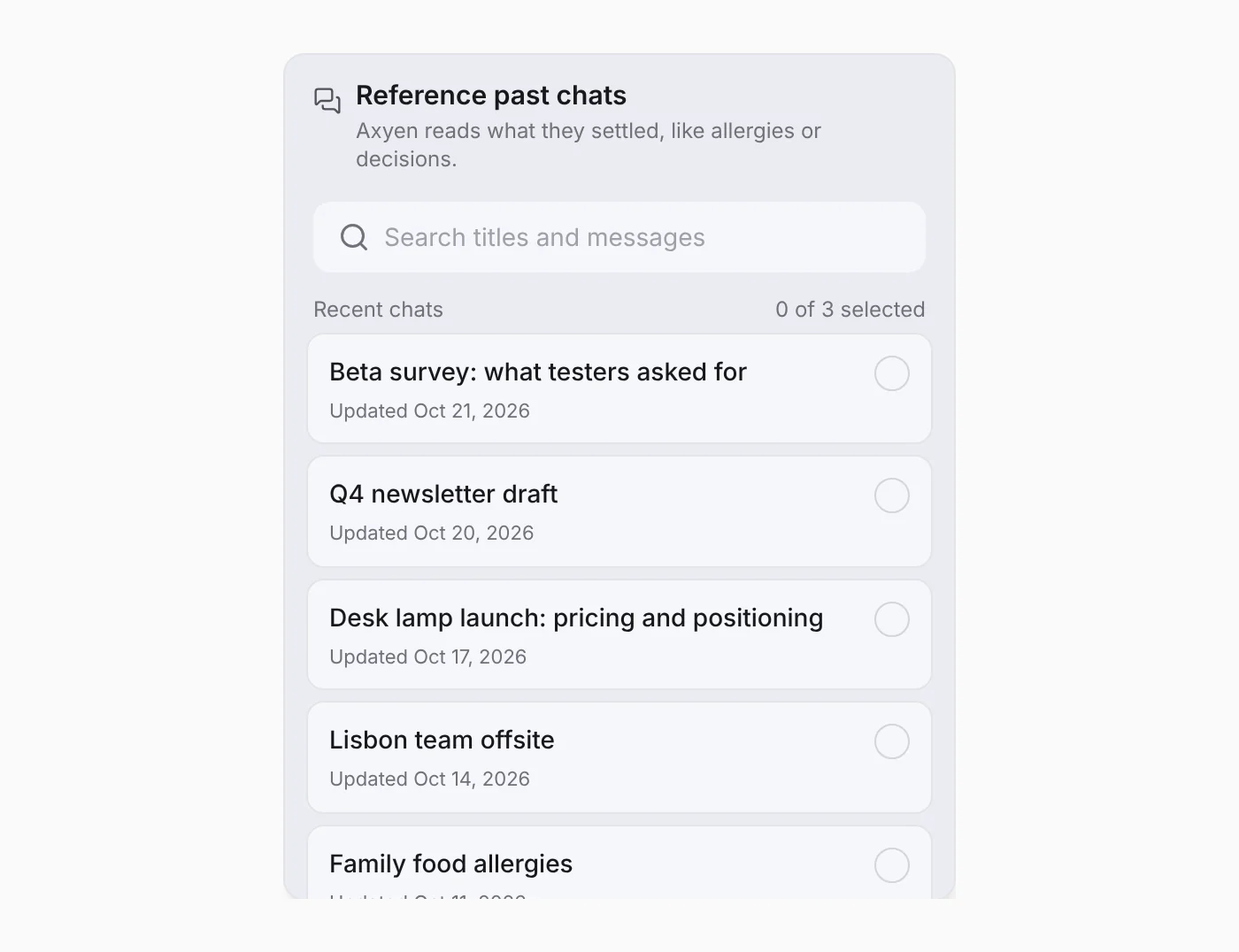
3. Select up to three. Click a chat to select it. You can bring in up to three, for example a pricing chat and a customer survey chat together.
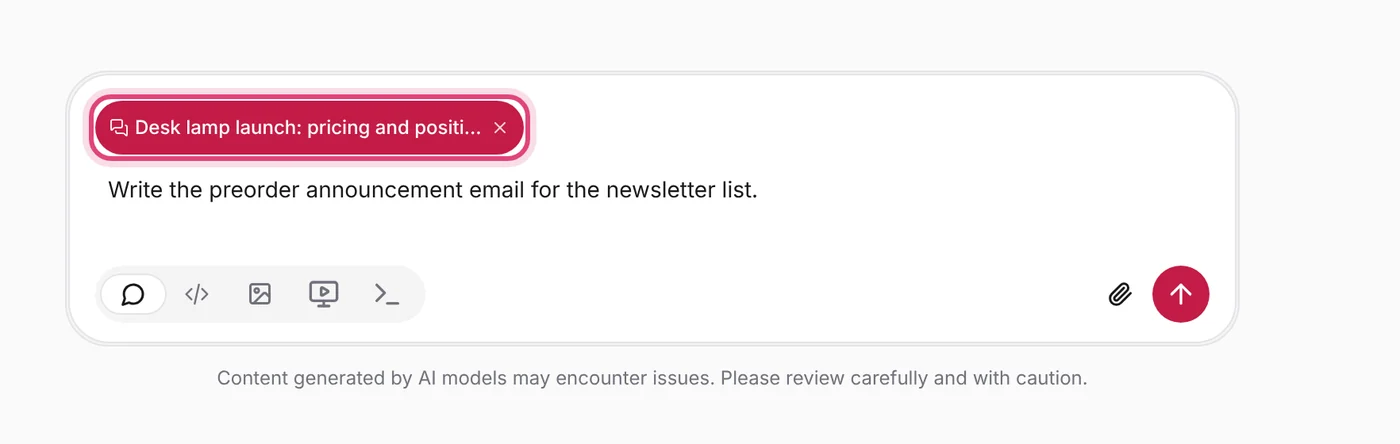
4. Send as usual. The chat appears as a chip on your message. Click the × to remove it before sending.
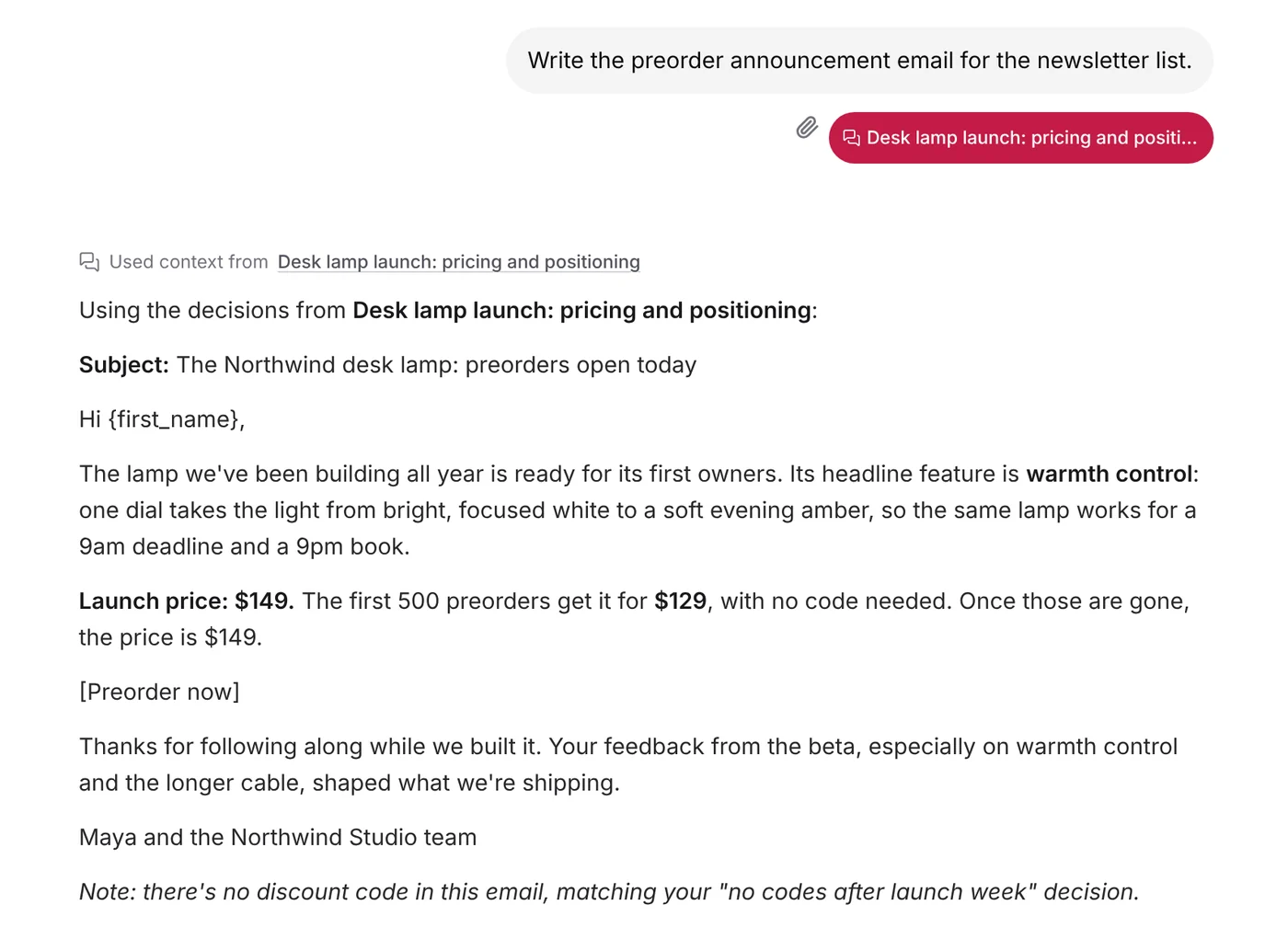
Here’s what that gets you. Maya asked for a preorder announcement email with her launch pricing chat attached. The email uses the $149 price, the $129 offer for the first 500 preorders, and warmth control as the headline. It even leaves out a discount code, because that chat decided there would be no codes after launch week.
The picker works the same on your phone.
It stays with the conversation
You only bring a chat in once. Ask a follow-up in the same conversation, like “Great, now a weekend brunch menu”, and Axyen still has the allergies. You don’t need to name the chat again.
It also works in agent mode. When an agent is working through a task, it gets the same context, and it can search your other chats on its own when the task calls for something you discussed before.
What Axyen reads from a past chat
Axyen doesn’t paste a whole old conversation into your new one. It reads what the chat settled: facts about you and the people you mentioned, constraints, preferences, decisions, and the specific numbers, names and dates. Short chats are used as they are. Longer ones are condensed, with hard constraints like allergies at the top. Axyen remembers that summary until you add something new to the old chat, so the next time you reference it, it’s ready straight away.
Your current message always wins. If you say “this week we’re fine with peanuts,” that overrides what the older chat said.
How this fits with memory
Axyen’s memory already keeps a handful of short facts about you, like your role or a standing preference, and uses them everywhere. Past chats are for the bigger picture: the whole conversation where you worked something out. Memory might know you have a nut allergy at home. The allergy chat knows who it applies to, which swaps you tried, what you ruled out and how long dinners can take.
Tips
- Good titles help. Search covers what was said too, but a clear title like “Family food allergies” makes a chat easy to find, both for you and when you name it in a message.
- Be specific when you have several similar chats. “Our pricing chat” is fine. “The pricing chat about the desk lamp” is better.
- Bring in a few, not many. Three chats is the limit, and the answers are sharper when the context is focused.
- Check the chip. If the chip under your message isn’t the chat you meant, remove it and pick the right one.
Only your own chats can be referenced. If you share a conversation with someone, the “Used context from” line isn’t shown to them, since those chat titles are yours.
The screenshots use fictional sample data: Maya Chen at Northwind Studio, the same example as our guides.
Try it
Open a new chat and start with “Based on our previous chat about…”, or click the paperclip and choose Reference a past chat. The more you use Axyen, the more of your settled context your next chat can build on.