Shop, Compare and Decide With Axyen: Product Picks, Side-by-Side Tables and Pros and Cons
Ask Axyen for product picks and you get cards with prices and links. Ask it to compare them and you get a table. Ask whether to buy now or wait and you get a weighted pros-and-cons card with a verdict. Here's how to use each, and when to switch on agent mode or ask several AI models at once.
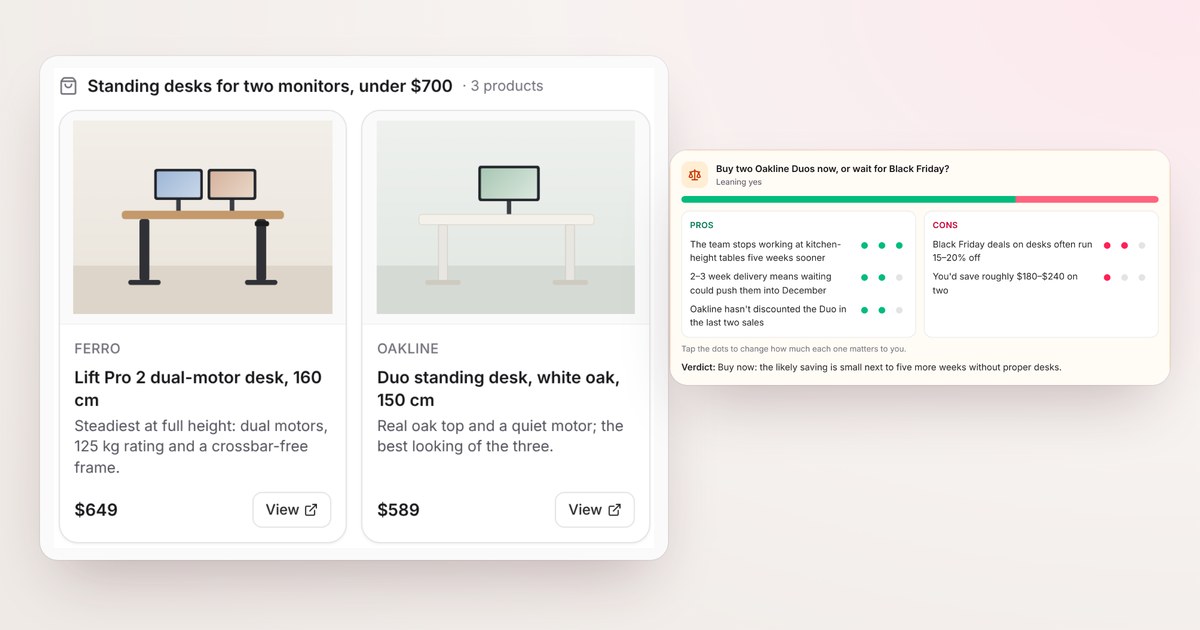
Buying anything that matters follows the same loop. You find a few options, line them up, argue with yourself about the trade-offs, and then decide whether now is the time. Usually that’s a dozen browser tabs, a spreadsheet you abandon halfway, and a nagging sense you missed something.
Axyen handles each step of that loop in one conversation, and it answers each step in the format that step needs: cards for products, a table for comparisons, and a weighted list for the decision.
To show it, we’ll follow Maya at Northwind Studio, who needs standing desks for her team.
Step 1: Ask for picks, get product cards
Maya starts with what she actually needs:
Find 3 sturdy standing desks under $700 that can hold two monitors
When an answer recommends things you can buy, Axyen shows them as product cards: a photo, the brand, the name, one line on why it made the list, the price and a View button that opens the product page.
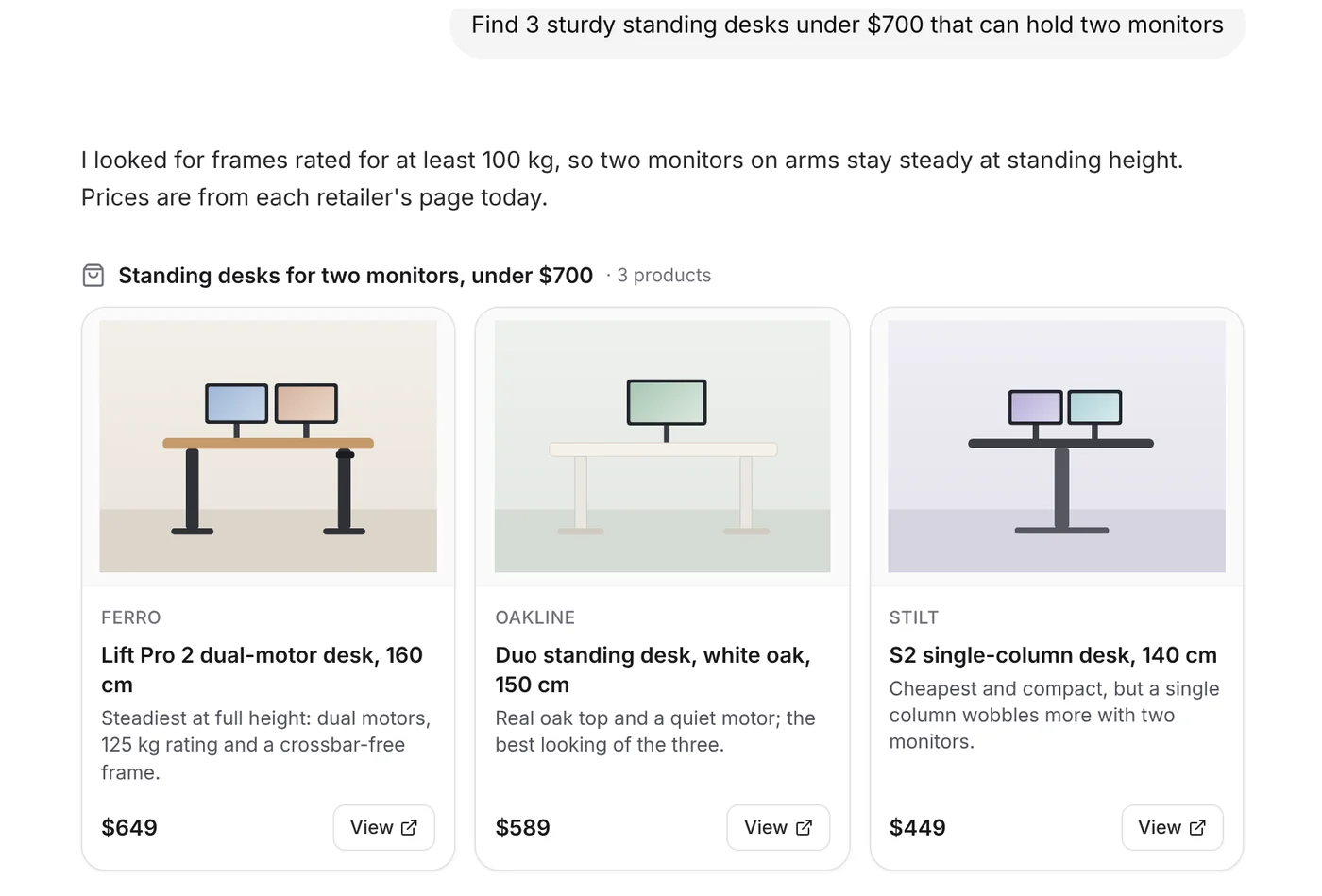
The “why” line is the useful part. It’s the reason each desk earned its place for your request (here, two monitors), not a copy of the marketing blurb. On a phone, the cards scroll sideways.
If Axyen can’t confirm a price or a link, it’s set up to leave it off the card rather than guess.
Step 2: Compare them side by side
Next, Maya asks:
Compare them side by side
Comparisons come back as a table, with the attributes that matter for the request as rows. Under the table you get a short verdict and links to where the details came from.
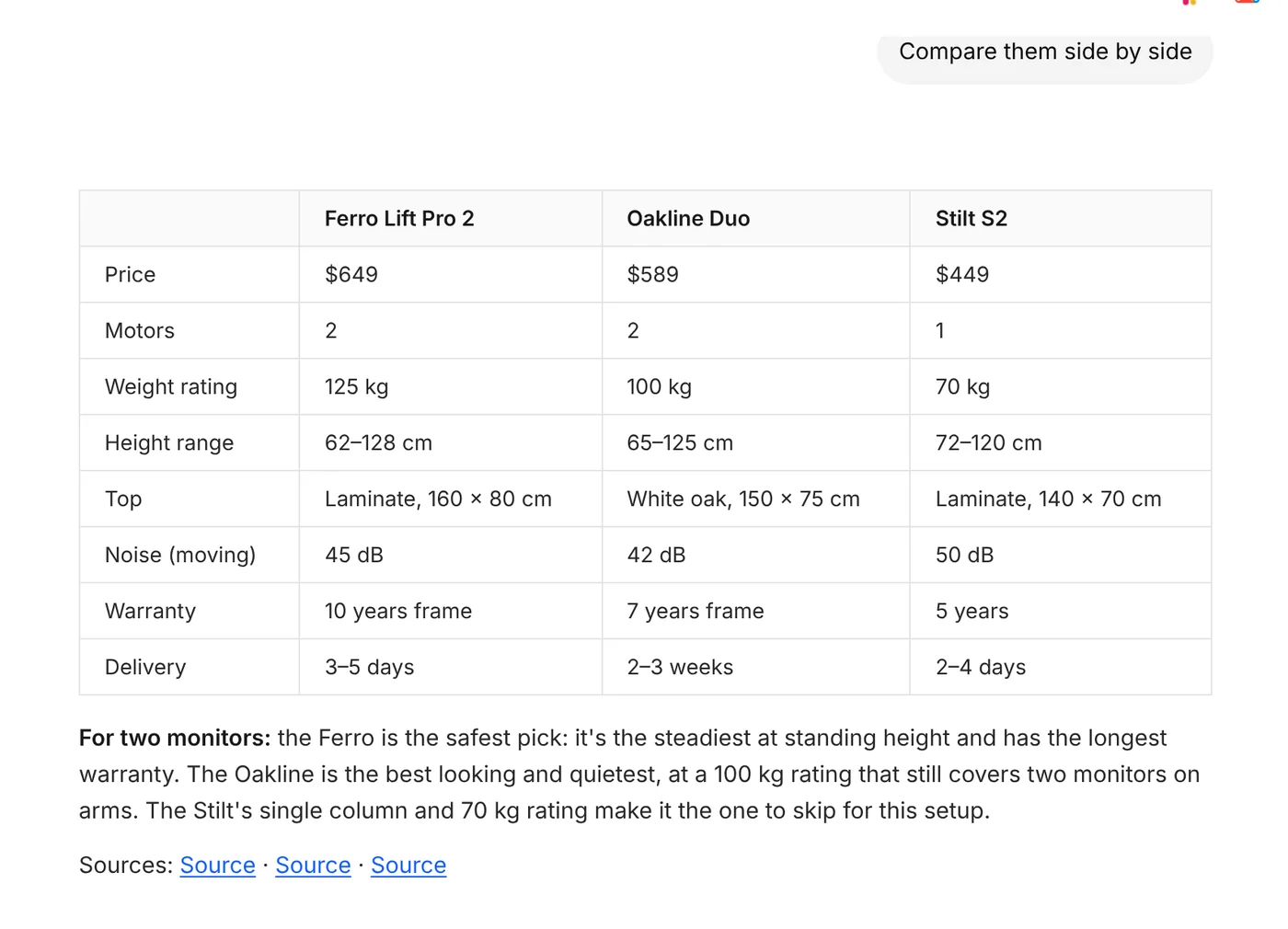
Ask follow-ups in plain words and the table changes with you: “add a row for delivery to San Francisco”, “drop the Stilt”, “which is quietest?”.
Step 3: Weigh the decision with pros and cons
The last question is rarely which. It’s usually whether and when:
Should we buy two Oakline Duos now or wait for Black Friday?
Questions like “should I…?” or “pros and cons of…” get a pros-and-cons card. Each point has a weight from one to three dots, a bar shows how the two sides balance, the header says which way it’s leaning, and there’s a verdict at the bottom.
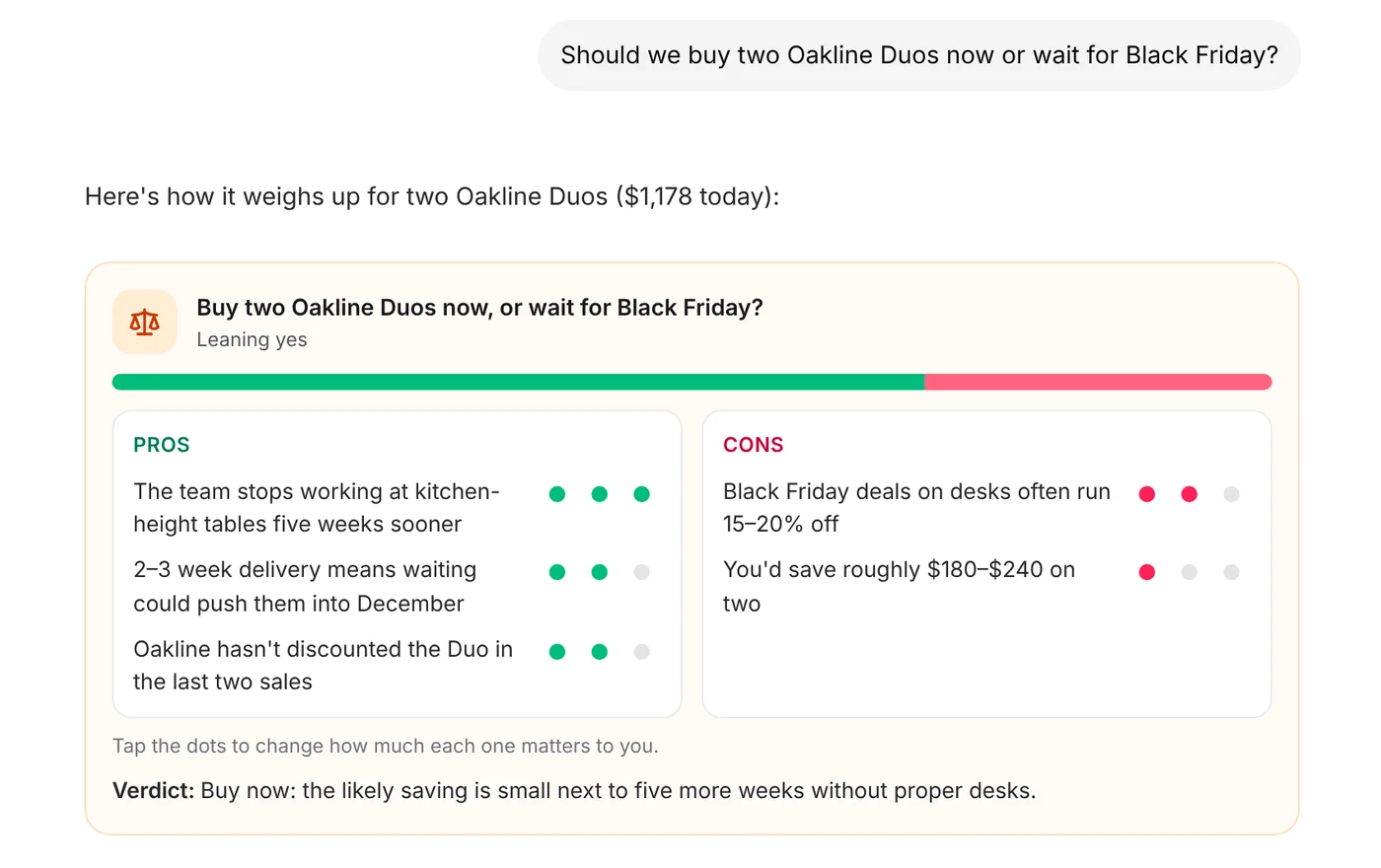
The weights are yours to change. If saving $200 matters more to your budget than Axyen assumed, tap the dots on that point and see which way the decision leans now. The card is a thinking tool, not just a summary.
Ask “what will this cost?” and you get a budget card instead: each cost listed and totalled, with amounts you can edit and a download as a spreadsheet (CSV).
When you need today’s prices: use agent mode
A normal chat answers from what the AI model knows. That’s great for explaining trade-offs, but it isn’t a live view of today’s prices or stock.
For anything that depends on what’s on the shelf right now, switch to agent mode with the last button under the message box (its tooltip says Orchestration). In agent mode, Axyen searches the web, reads the results, and builds its answer from them. Product links and prices in that answer come from the pages it found.
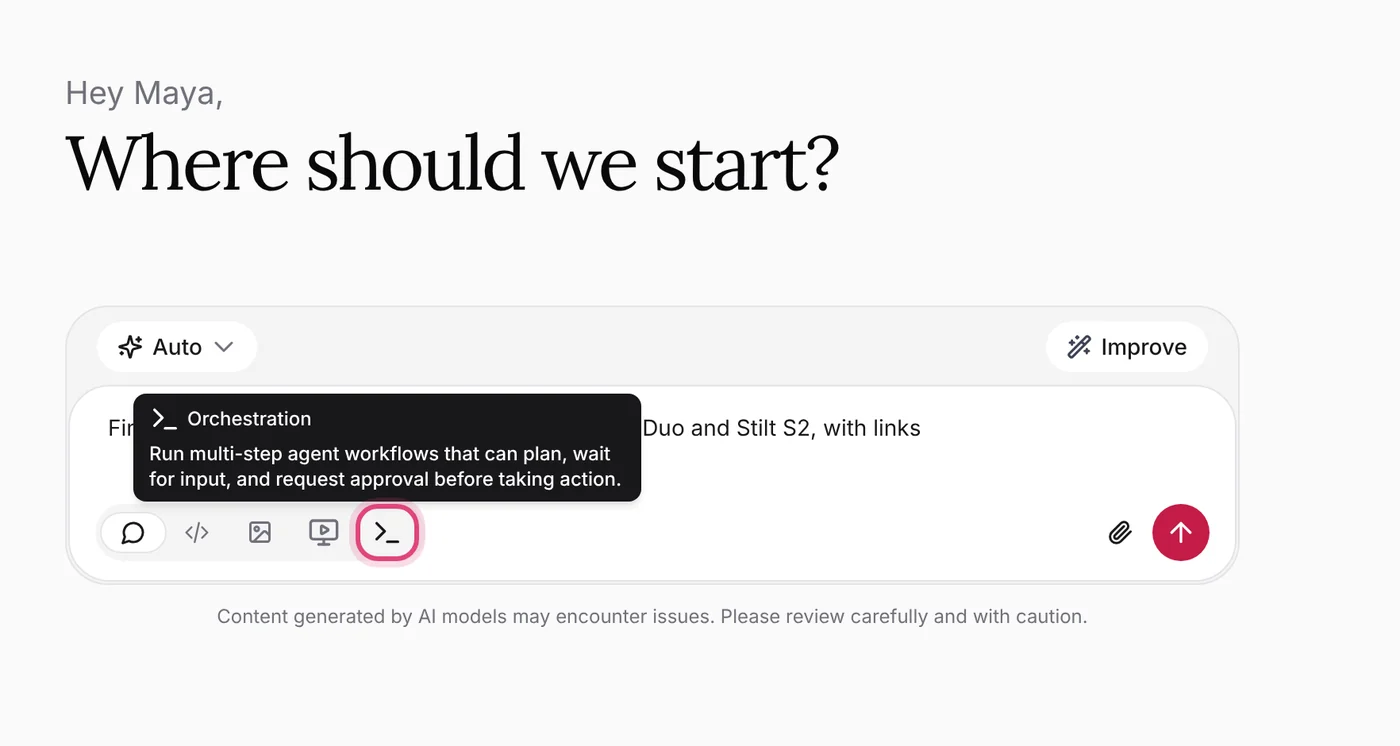
Agent mode is also the right choice for research beyond shopping, such as “what do recent reviews say about…” or “find reliable sources on…”. You can see how many sources it reviewed as it works.
Get a second opinion: Compare mode
Different AI models weigh things differently. For a decision you care about, you can ask several at once.
Click the model selector in the message box (it shows Auto by default), choose Advanced options, then Compare. Pick two to four models and click Use compare.
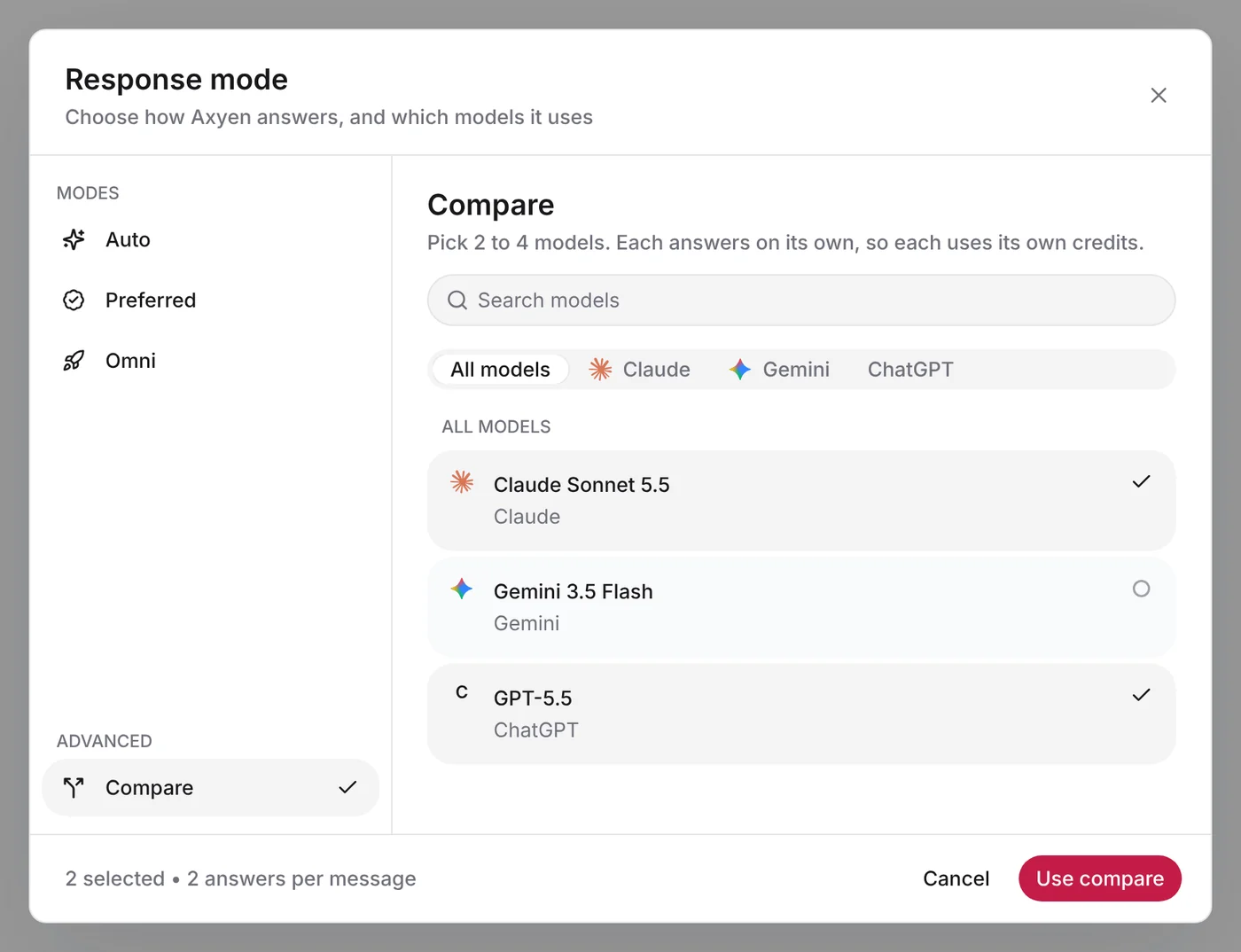
Each model answers your next message on its own, side by side. Pick the answer you prefer with Select Answer and the conversation continues from it. The other answers aren’t lost: under the reply, See 2 other answers opens them in tabs, one per model.
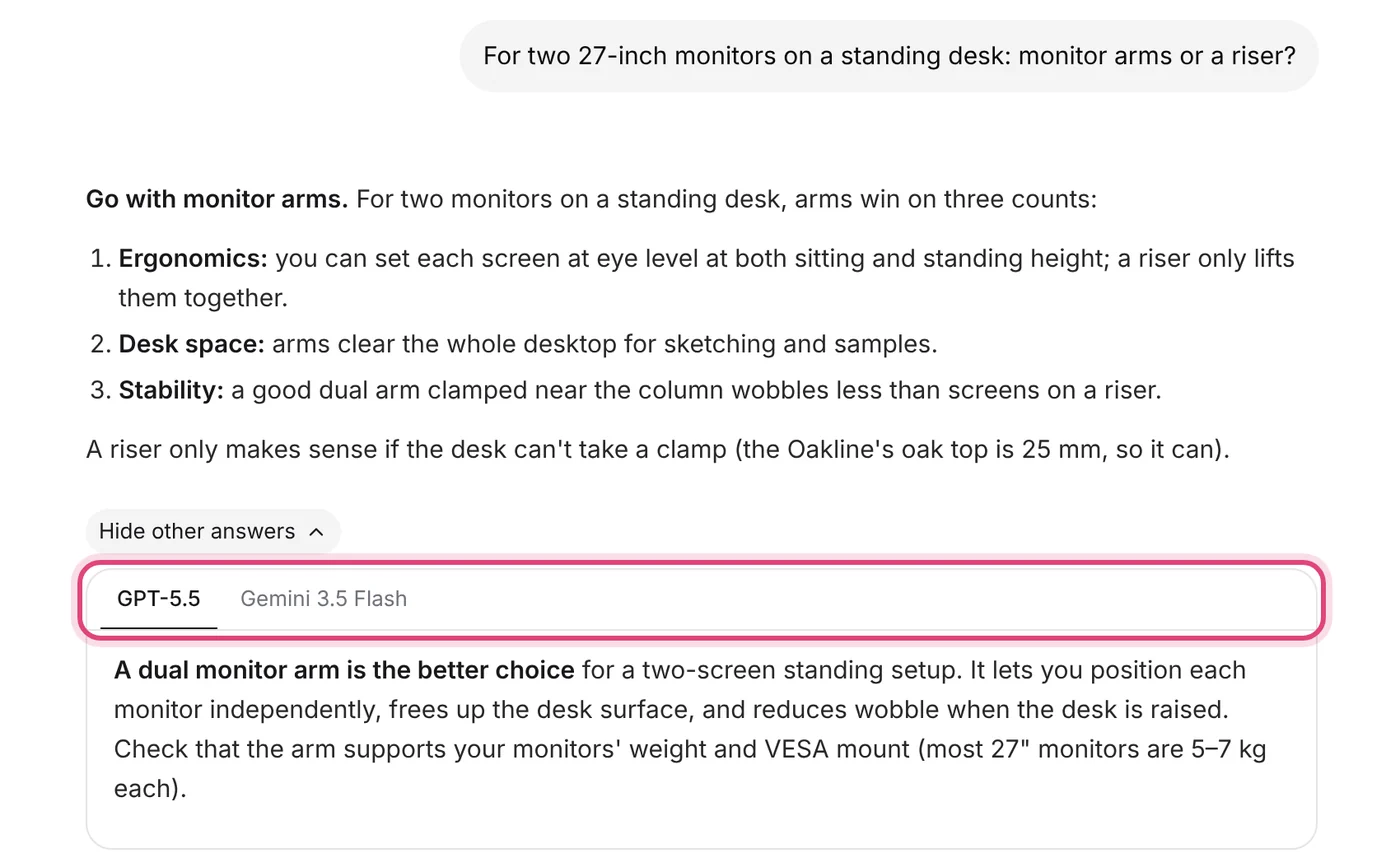
Each model in Compare uses its own credits, so keep it for questions where a second opinion is worth it. If you’d rather have one blended answer, the Omni mode in the same window combines Claude, ChatGPT and Gemini into a single reply.
Tips for better answers
- Say what it’s for. “For two monitors”, “for a 6’3” designer”, “for a small apartment”: the use decides which specs matter, and the picks and table rows follow it.
- Give a budget and a deadline. “Under $700, delivered before November 15” rules out a lot of noise.
- Keep going in one chat. Picks, then comparison, then the decision: each step builds on the last, so you never re-explain.
- Bring in what you already decided. If you worked out requirements in an earlier chat, say “based on our previous chat about the studio setup” and Axyen uses that conversation too.
- Check before you buy. Prices and stock change. Open the product page with View before you check out.
The screenshots use fictional sample data and products: Maya Chen at Northwind Studio, the same example as our guides. Ferro, Oakline and Stilt aren’t real brands, and the product pictures are illustrations.
Try it
Start a chat with what you’re shopping for and what it’s for. Then ask Axyen to compare the options, and finish with “should I buy now or wait?”.