Organize your work
Organize research with Boards
Pin the replies worth keeping from any chat onto a board, then ask questions across everything you've collected or share the board with others.
The Rundown
Boards collect the best answers from your chats in one place. You pin a reply from any conversation, and it lands on the board as a card with a link back to the chat it came from. Once a board has a few pins, you can ask Axyen questions about everything on it, or share it.
Why it helps
- Good answers don’t get buried in long chats. You keep the ones that matter and skip the rest.
- One board can gather pins from many chats, such as a launch plan, a tagline test and a competitor teardown.
- Ask me anything answers from what’s on the board, so you can turn scattered decisions into a checklist or summary.
- Sharing a board is quicker than copying answers into a document.
What you’ll need
- An Axyen account
- At least one chat with a reply worth keeping
Step 1 — Open your boards
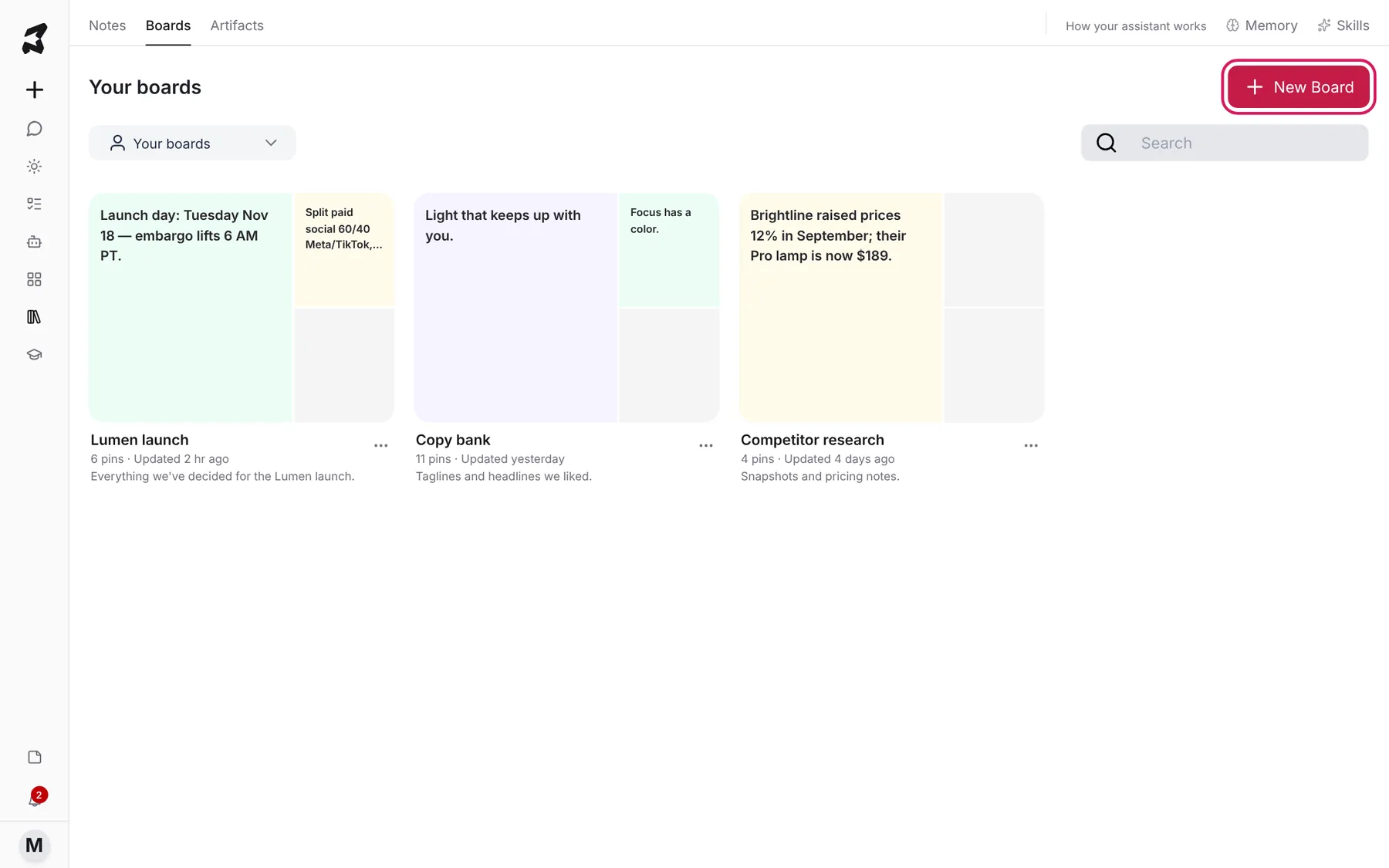
Click the library icon in the sidebar, then the Boards tab. Your boards shows each board with a preview of its pins, how many pins it has, when it was last updated and its description. Use Search to find one by name.
Click New Board to make a new one.
Step 2 — Create a board
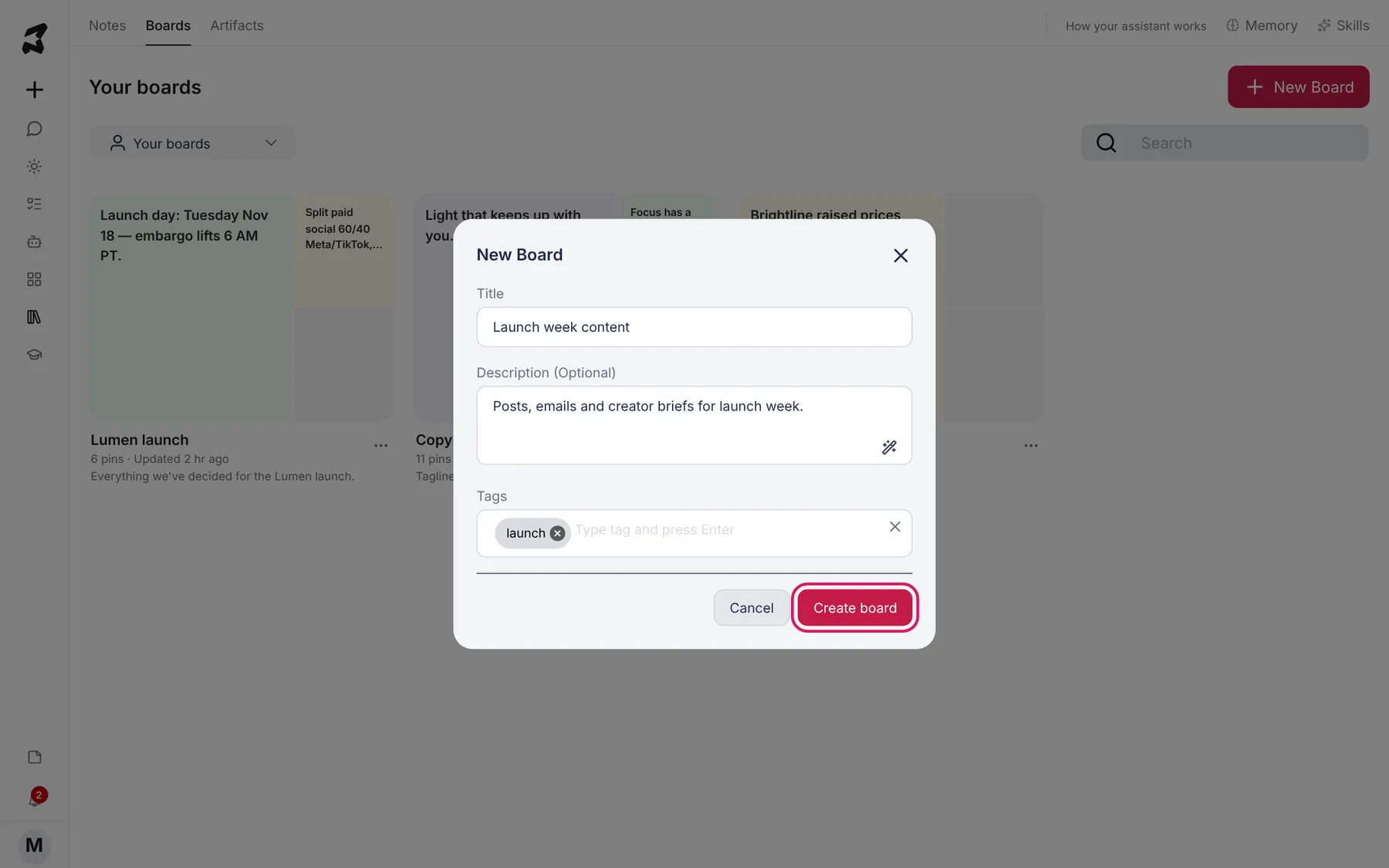
Give the board a Title. Add a Description (Optional) so you remember what it’s for, and type Tags, pressing Enter after each one. Click Create board.
Title: Launch week content
Description: Posts, emails and creator briefs for launch week.
Tags: launch
Step 3 — Pin a reply from a chat
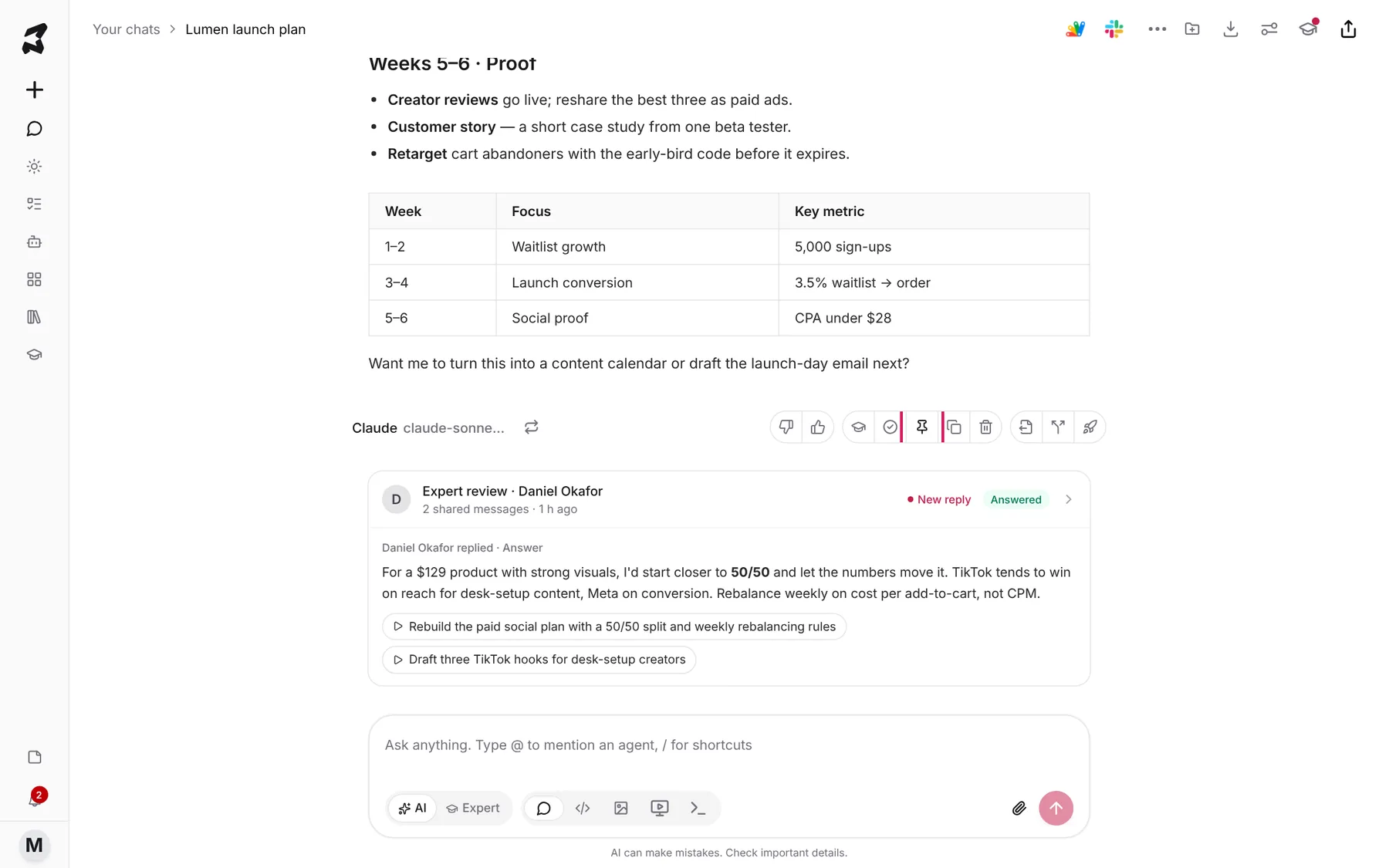
Open any chat. Under each assistant reply is a row of actions. Click the pin icon (Pin message).
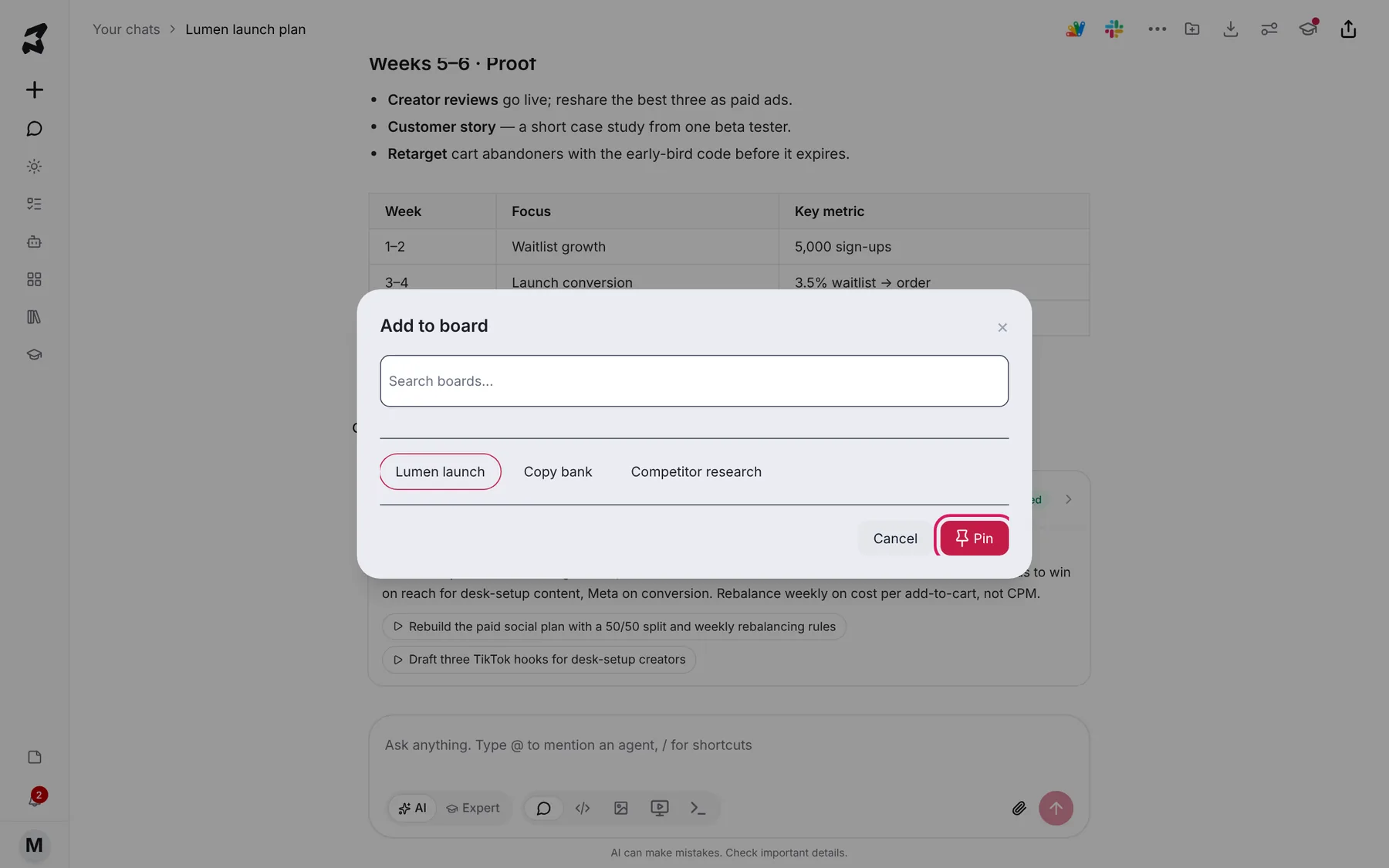
In Add to board, choose a board (or search for one in Search boards…) and click Pin. The reply is now on that board.
Step 4 — Review what you’ve pinned
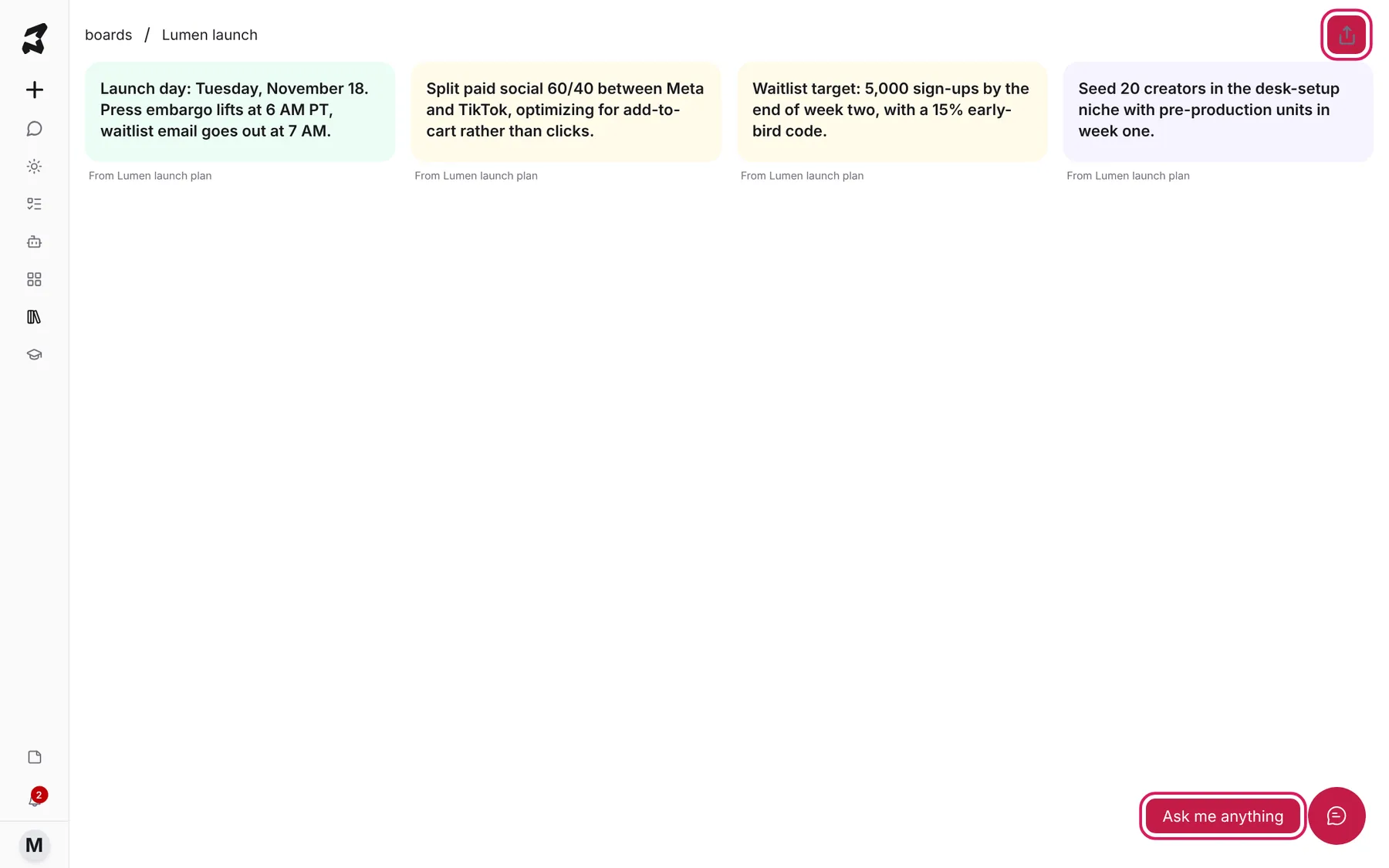
Open the board from Your boards. Each pin is a card, and under it you can see which chat it came from, for example From Lumen launch plan. Click a card to read the whole pin. From there you can open it in its chat or unpin it.
Step 5 — Ask questions about the board
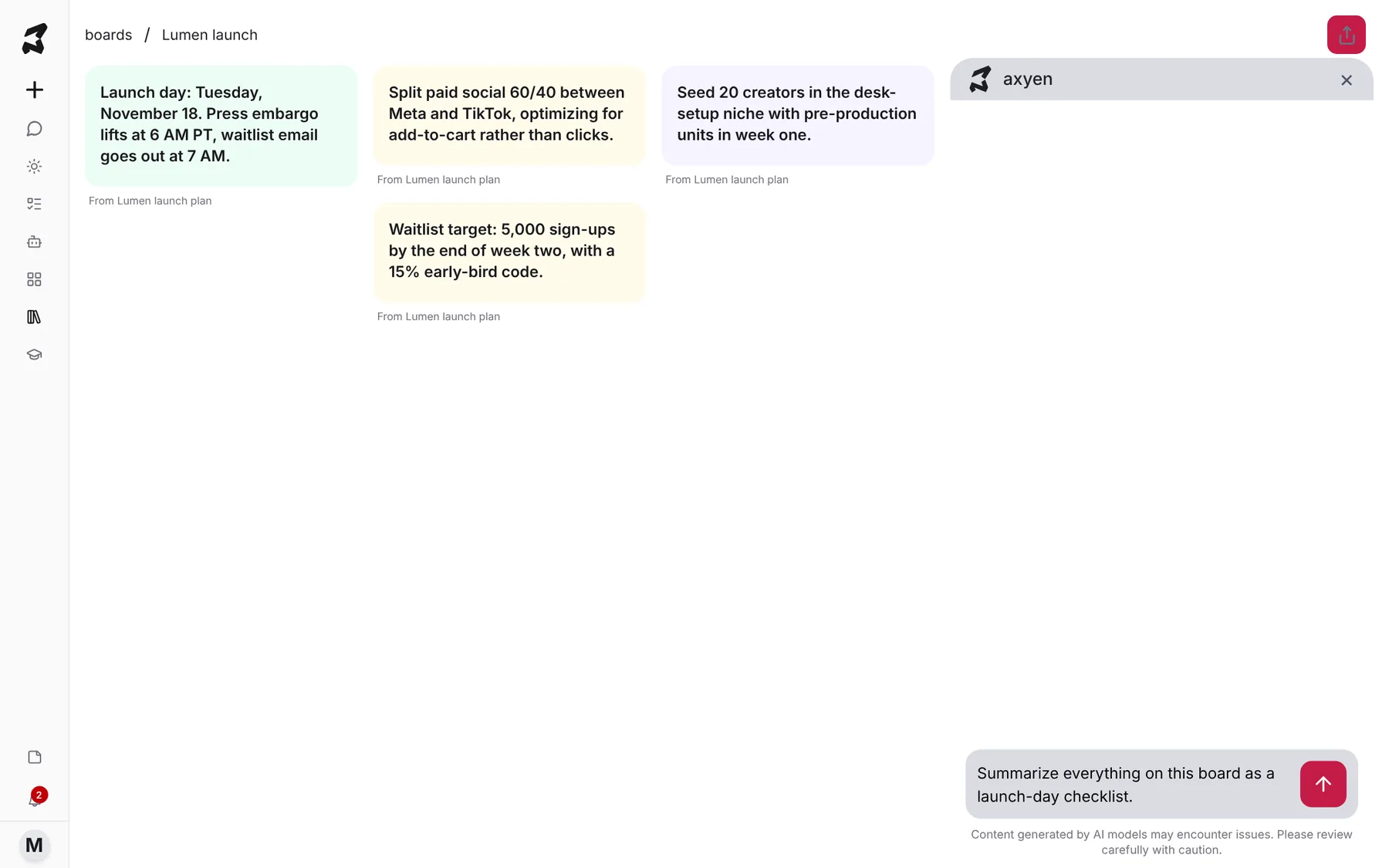
Click Ask me anything in the bottom right. A chat panel opens beside your pins. Ask about what’s on the board:
Summarize everything on this board as a launch-day checklist.
Step 6 — Share the board
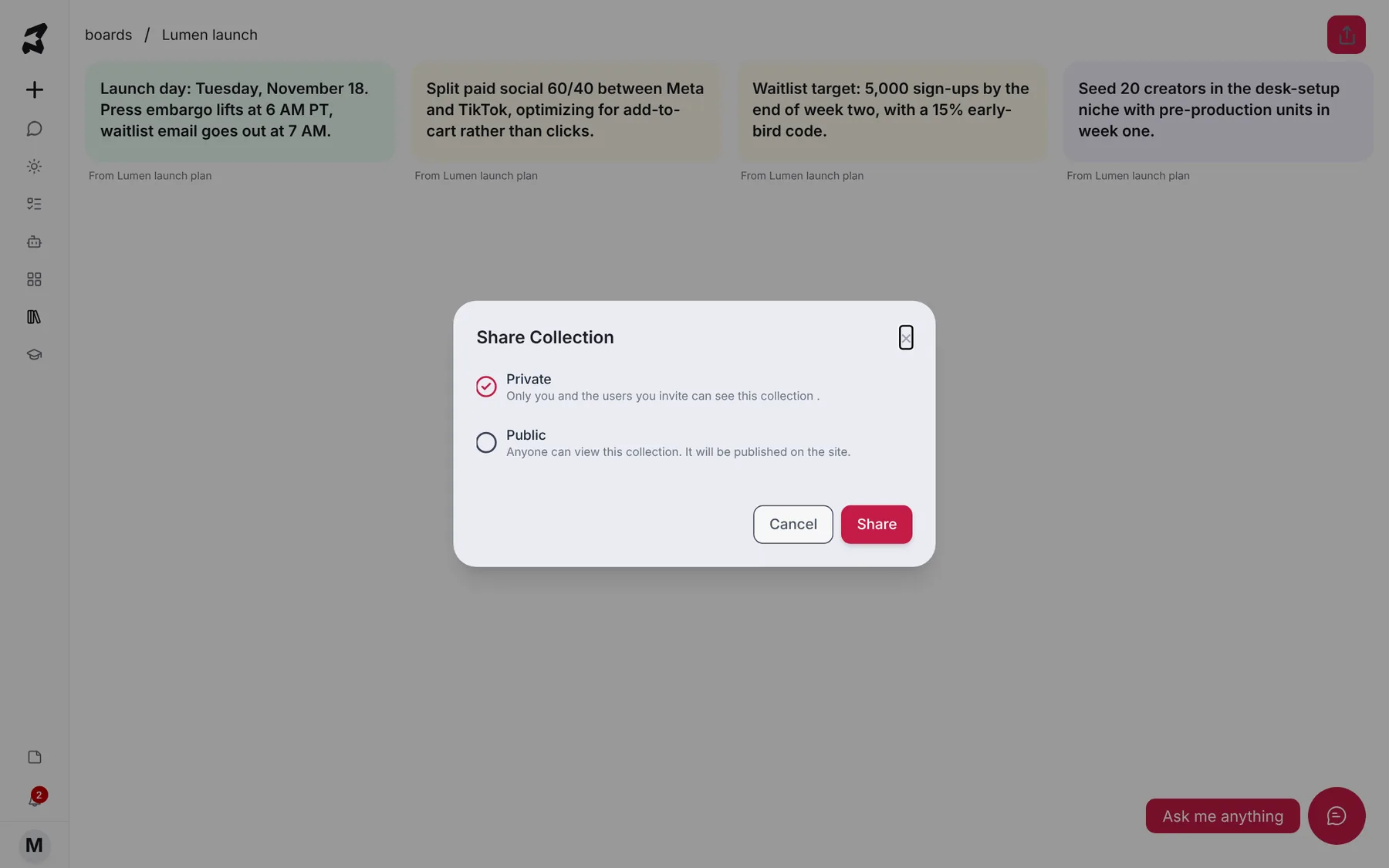
Click the share button in the top right of the board. In Share Collection, choose:
- Private: only you and the people you invite can see it.
- Public: anyone can view it, and it’s published on the site.
Then click Share.
Try it yourself: worked examples
Build a copy bank
Run a tagline brainstorm, then pin the three lines you like most to a Copy bank board. Later, ask the board:
Which of these taglines would work best as a 15-second video hook? Rank them and say why.
Why: you’re comparing your shortlist, not every option the model ever gave you.
Keep a decisions board for a launch
Pin each decision as it’s made: launch date, budget split, waitlist target. Before a team meeting, ask:
List every decision on this board with the date it was made, and flag anything that contradicts something else.
Why: one board becomes the record of what was agreed.
Collect competitor research
Pin pricing notes and feature comparisons from several chats to Competitor research, then share it as Private with your team.
Why: everyone works from the same findings without searching each other’s chats.
Tips
- Pin the reply, not the whole conversation. Short, specific pins make better cards and better answers.
- Use descriptions and tags. They make boards easier to find once you have a lot of them.
- Choose Public only for things you’re happy for anyone to see.